To register on Mailozar, visit the signup page, enter your basic details, verify your email, log into your dashboard, and complete profile setup. Once done, you can start creating AI-powered email campaigns instantly.
Introduction: Start Your AI Email Marketing Journey the Easy Way
If you’re new to email marketing or switching from another platform, Mailozar makes the entire process simple, fast, and AI-powered. The registration process takes only a few minutes and gives you access to powerful tools like:
-
AI content generation
-
Automated campaigns
-
Real-time analytics
-
Easy drag-and-drop templates
-
High-deliverability sending tools
Whether you’re a business owner, marketer, or absolute beginner—this guide will walk you through how to register on Mailozar step-by-step, with clear instructions and screenshot placeholders.
Why Register on Mailozar?
Joining Mailozar gives you access to a modern, AI-enhanced email marketing ecosystem designed for ease of use and growth.
Key benefits of signing up:
- AI- powered campaign creation – write emails, subject lines and newsletters in seconds.
- Clean, user-friendly dashboard – Designed for beginners with zero curving line.
- Automated workflows – Setup drip sequences, welcome flows and triggers easily.
- Powerful subscriber management – Import lists, segment audiences and personalize content.
- High deliverability – Domain verification and smart sending tools built in.
- Affordable for small businesses- Free trial available to explore all features.
How to Register on Mailozar (Step -by-Step Guide)
Here’s the easiest, most beginner- friendly breakdown of the registration process.
Step 1: Visit the Official Signup Page
Open your browser to open the mailozar website and click on Get Started
You will land on the customer access page.
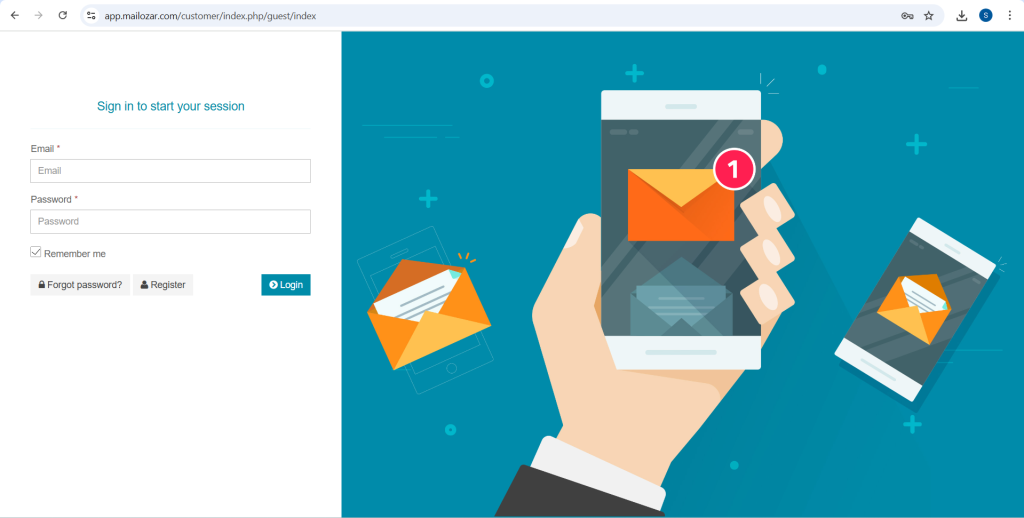
Step 2: Click on “Create New Account”
On the login screen, look for the “Register” button.
Click it to start your signup process.

Step 3: Enter Your Basic Information
Fill in the required details:
-
- Full Name
-
- Email Address
-
- Password (Keep it strong for account safety)
-
- Phone Number (Optional, but recommended for support)
Tip: Use a valid email address because you’ll need it for verification.
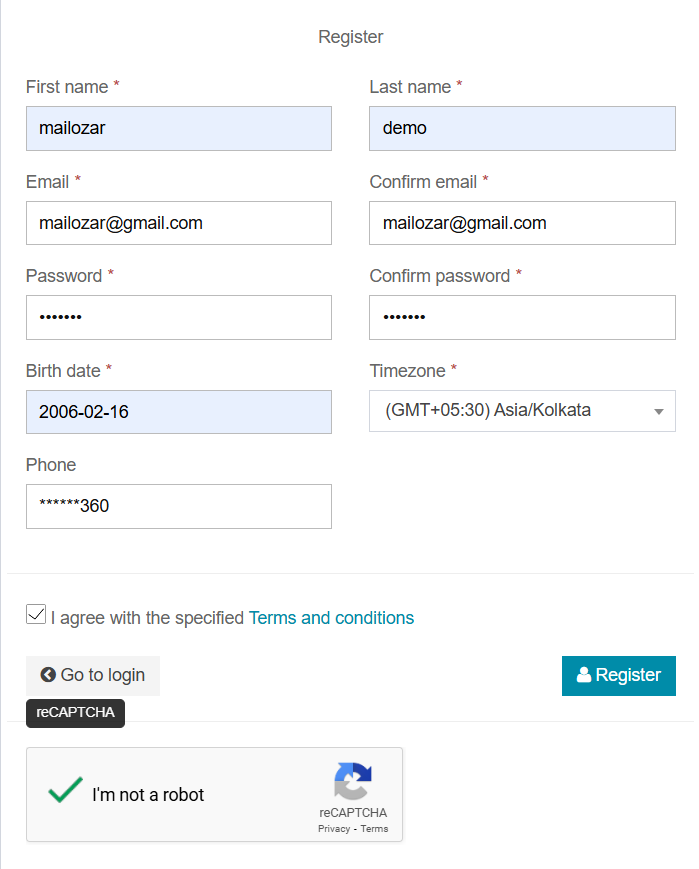
Step 4: Accept Terms & Policies
Tick the checkbox to accept:
 Terms & Conditions Privacy Policy
This ensures you can safely access your dashboard and start using Mailozar’s features.
Step 5: Click “Register”
Once the form is complete, click Register / Sign Up to create your account.
Mailozar will then send you a verification email.
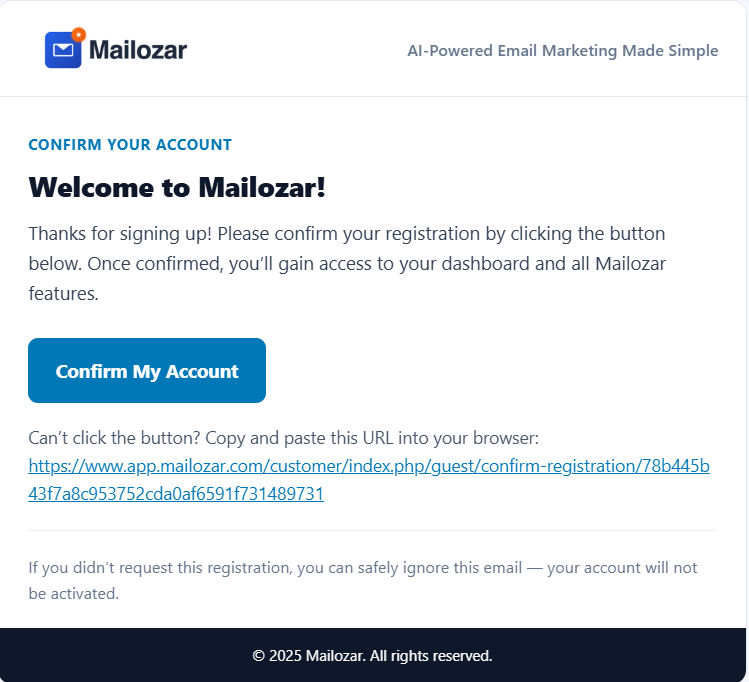
Step 6: Verify Your Email Address
Open your inbox and find the verification email from Mailozar.
Click the verification link to activate your account instantly.
Note: If you don’t see it, check your Spam or Promotions folder.
Step 7: Log In to Your New Mailozar Dashboard
After verification, return to:
 https://www.app.mailozar.com/customer
Enter your login credentials to access your AI-powered dashboard.
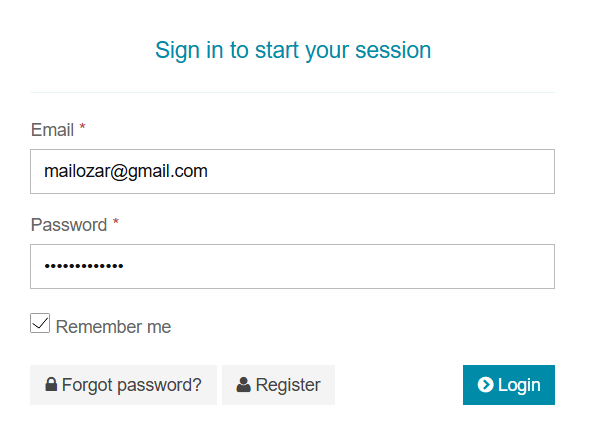
You’re now ready to create email campaigns, design templates, upload subscribers, and more!
Pro Tips for New Users
- Start with the Free Trial to explore features
- Use the AI content tools to write your first campaign quickly.
- Import your email list in CSV format for the smoothest experience.
- Customize your sender email and domain for better deliverability.
- Explore the Templates section to speed up newsletter creation.
These simple steps will help you get comfortable with Mailozar and launch your campaigns with confidence.
FAQ: Registering on Mailozar
1. Is Mailozar free to register?
Yes! Creating an account is completely free, and you can start using basic features immediately.
2. Do I need technical knowledge to use Mailozar?
Not at all. Mailozar is built for beginners and small businesses with zero technical experience.
3. How long does the registration process take?
Usually less than 2 minutes
4. Do I need to install any Application?
No. Mailozar is already integrated with top generative AI and everything is already hosted and ready to use.
5. Can I upgrade later?
Yes, you can upgrade or downgrade anytime.
Conclusion
Registering on Mailozar is incredibly simple. In just a few steps, you unlock a powerful AI-driven email marketing platform that helps you send better campaigns, save time, and grow your business faster.
Whether you’re new to email marketing or shifting from another tool, Mailozar gives you the perfect balance of simplicity and power.
Call to Action (CTA)
Ready to get started? Create your Mailozar account now and launch your first email campaign in minutes.